Multi-Language Videos
VidRush V2 introduces multi-language video generation. Script writing, narration, and footage matching now work beyond English.
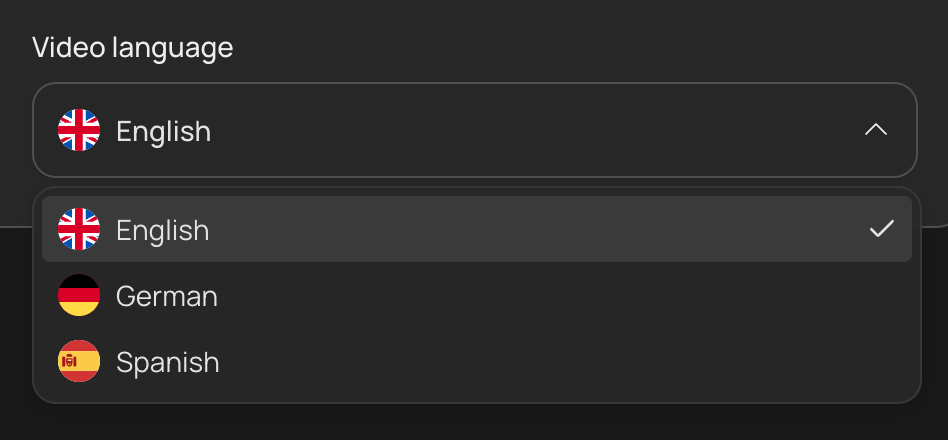
How to set your language
Per channel (recommended): set the default video language in your Brand Profile. Every video generated with that profile is scripted and narrated in that language. For channels in two languages, create one Brand Profile per language.
Per video: the language appears in the Quote Statement before generation, so you can confirm it there.
Supported languages
- English. The original pipeline and the most mature by a wide margin. Everything is developed and tested in English first.
- German. Built on prompts hand-tuned for German rather than translated from the English set, which puts it well ahead of generic AI tools. The German-language YouTube market is also far less saturated than English, which makes it a real opportunity.
- Spanish. A newer addition, using updated prompt sets. Supported for prompts, scripting, and narration.
German and Spanish are not at English quality. Narration in both is less fluent than English, and pronunciation is the weakest part, particularly in German, where proper nouns, loanwords, and numbers are the most common problems. Scripting and footage matching are closer to parity than narration is.
Plan for a review pass on non-English videos. Reading the script aloud before you generate catches most of it: anything you would stumble over, the voice will too. If a specific word comes out wrong, rewording it phonetically in the script is the reliable fix.
Language support by feature
Language support is not the same across every way of making a video.
| What you are doing | Languages |
|---|---|
| Writing a prompt | English, German, Spanish |
| Attaching a Custom Script | English, German, Spanish |
| Uploading a Custom Voiceover | English, German, Spanish |
| Uploading talking-head footage | English only |
| Using an AI Avatar | English only |
| Training an Editing or Script Style | Reference video must be narrated in English |
A talking-head recording in German or Spanish is rejected on upload, and avatar videos are generated in English regardless of your Brand Profile, including any script you attach to them. See Talking Head and AI Avatar. A reference video for Editing & Script Style must have English narration even when the Brand Profile itself is German or Spanish; the style it learns still applies to your non-English videos.
Tips
- Match your voice to the language: pick a native voice for the target language in your Brand Profile’s Voiceover tab.
- Footage availability varies by language and topic. The B-Roll Availability Test from the Overview applies in every language.
- The Prompting principles (talking points, density, footage-aware writing) work the same in any language.
- Test a short video before committing a series to German or Spanish. Voice quality varies more between voices in these languages than in English, so finding one that handles your subject matter well is worth doing once, up front.