Custom Script
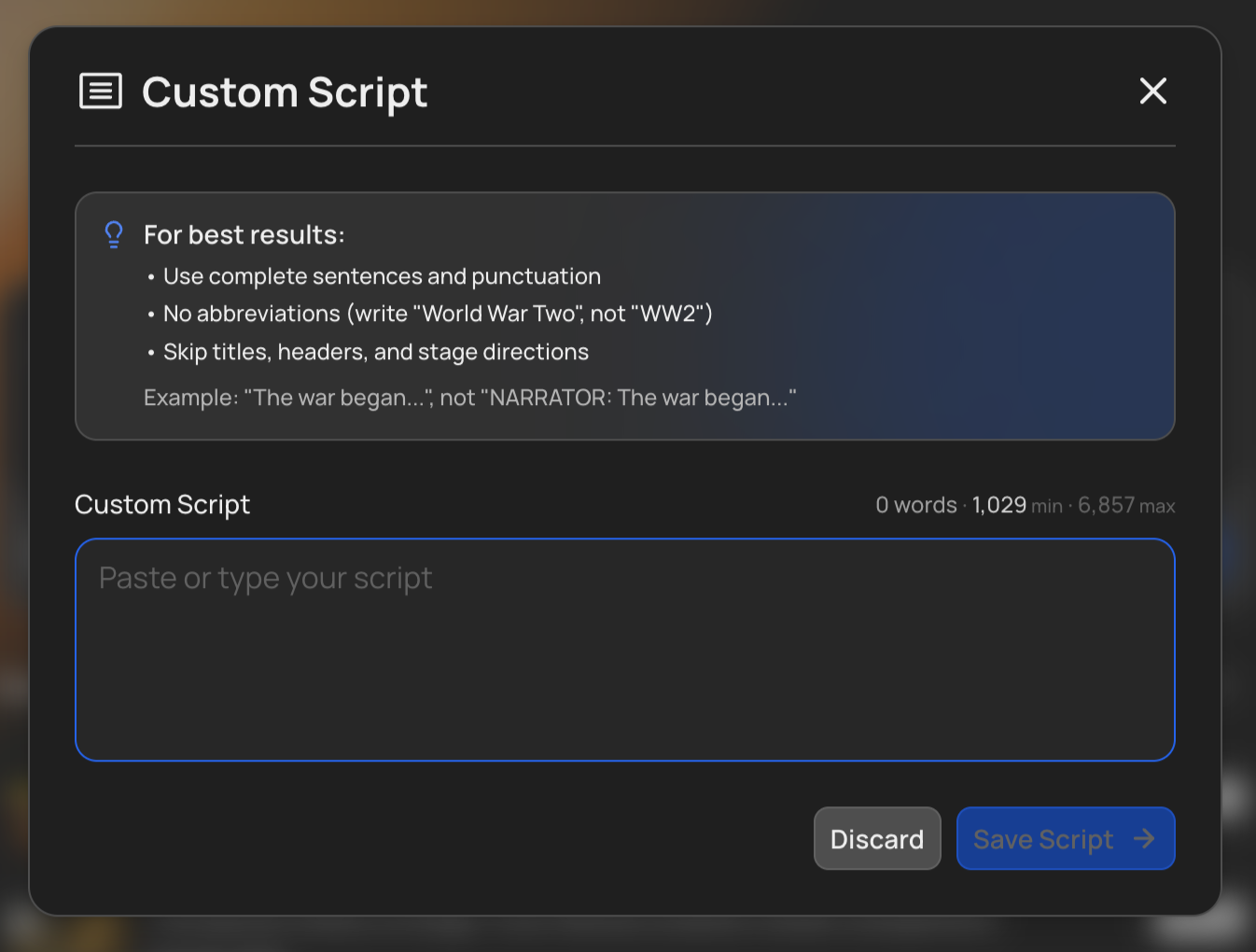
Already have a script you’re happy with? Skip the AI scriptwriting entirely. Paste your own text into VidRush and the platform builds the video around your words, narration, visuals, music, and editing using your script as the source of truth.
This is ideal when you’ve written or refined a script externally (using Claude, ChatGPT, or your own process) and want full control over exactly what gets said.
How to use a Custom Script
- Open the prompt window and click the + button in the bottom left.
- Select Custom Script.
- Paste your script text.
VidRush takes it from there, generating voiceovers from your text, matching visuals to your narration, and assembling the final video.
When you attach a Custom Script, VidRush infers both the format and the duration from your text. A documentary-style script is produced as a Documentary, a list-structured script as a Top 10, and explainer, essay, and news scripts are recognised too. Duration follows your text length and the selected voice’s speaking speed, with roughly 3–5 minutes of variance. You will see the inferred format and duration in the Quote Statement before generation starts (“Your script is a documentary…”), and you can leave the duration field blank there.
Formatting rules
Your script must be narration-ready. Remove everything below before pasting, VidRush’s text-to-speech (TTS) engine reads every word literally.
Passing the check is not a guarantee your video will generate. The validator catches what it can see: formatting artefacts, length, unsupported content. It cannot tell whether your script is written the way our narration pipeline needs. A script that clears the check but ignores the standards below can still fail partway through generation, and that failure looks like a platform bug when it isn’t. The rules on this page are the standard. Following them is what prevents a failed generation, not passing the check.
Remove all of the following before pasting:
- Speaker labels (NARRATOR:, VOICEOVER:)
- Timestamps (0:00–2:30)
- Stage directions ([PAUSE], [DRAMATIC MUSIC], [CUT TO])
- Production notes ([Note: add B-roll here])
- URLs (the AI will literally say “h-t-t-p-colon-slash-slash” out loud)
- YouTube auto-caption artifacts ([Music], [Applause])
- Tab indentation (use regular line breaks instead)
- Words in all capitals (the TTS engine reads them letter by letter, so “NEVER” comes out as “N-E-V-E-R”). Build emphasis into the wording instead.
Length and structure:
- Length. A script must be at least 780 characters, roughly a minute of narration. The maximum depends on the voice you’ve selected, because the cap is measured in narration time rather than words: about 60 minutes of speech. A fast voice therefore accepts a longer script than a slow one. If yours is over, the message tells you by how much.
- No duplicated blocks. A repeated stretch of 1,000 characters or more (usually an accidental double paste) is rejected.
What works well:
- Clean prose broken into natural paragraphs
- Writing a natural sign-off near the end (e.g., “Thanks for watching, don’t forget to subscribe for more history mysteries”) VidRush detects this language and automatically applies the Subscribe CTA Overlay or the “What’s Next” animation template
- Specific, descriptive language that gives the Footage Agent strong visual keywords. Write “the First National Bank in downtown Miami” instead of “[SHOW BANK]”
Pro tip: Before pasting into VidRush, run your script through Claude with this instruction: “Clean this script for a text-to-speech engine. Remove all non-narration text, including speaker labels, timestamps, stage directions, and notes.” This catches anything you might have missed.
Credit cost and duration
Credits are based on the final rendered video length in the editor, not the word count of your script. Custom Scripts use the same credit rates as any other generation, the cost depends on your selected model and reasoning effort. See Credits & Billing for details.
Good to know
- Your Brand Profile still applies: language, voice, theme, backgrounds, and compliance settings all shape how your script is produced. The script replaces the AI writing step and nothing else.
- Input Validation runs on Custom Scripts and may flag formatting issues. Fix anything it catches before generating, but treat a clean pass as “nothing obvious is wrong,” not “this will work.” The formatting rules above are what actually determine whether generation succeeds.
- For the best AI-written scripts, the community consensus is that Claude tends to produce more natural, human-sounding writing than ChatGPT.
- When you save your script, VidRush checks it before continuing. It scans for anything it can detect that would break generation, so the check can take a moment, and formatting tips appear right in the upload dialog. No error message means it found nothing, not that the script meets the standard.
- A Custom Script can drive an AI Avatar. Attach the script, pick your avatar, and the avatar delivers your words.
- A Custom Voiceover cannot be combined with an AI Avatar. The avatar speaks with the voice selected for it, so the two are mutually exclusive.
- If you want your own face and voice rather than your own voice alone, upload the recording instead. Talking Head accepts video up to 2 hours and 5 GB, against the 60 minutes and 150 MB here.
- VidRush follows the language of your script. An English script produces an English video; a German script produces a German video; a Spanish script produces a Spanish video.