Pay-As-You-Go
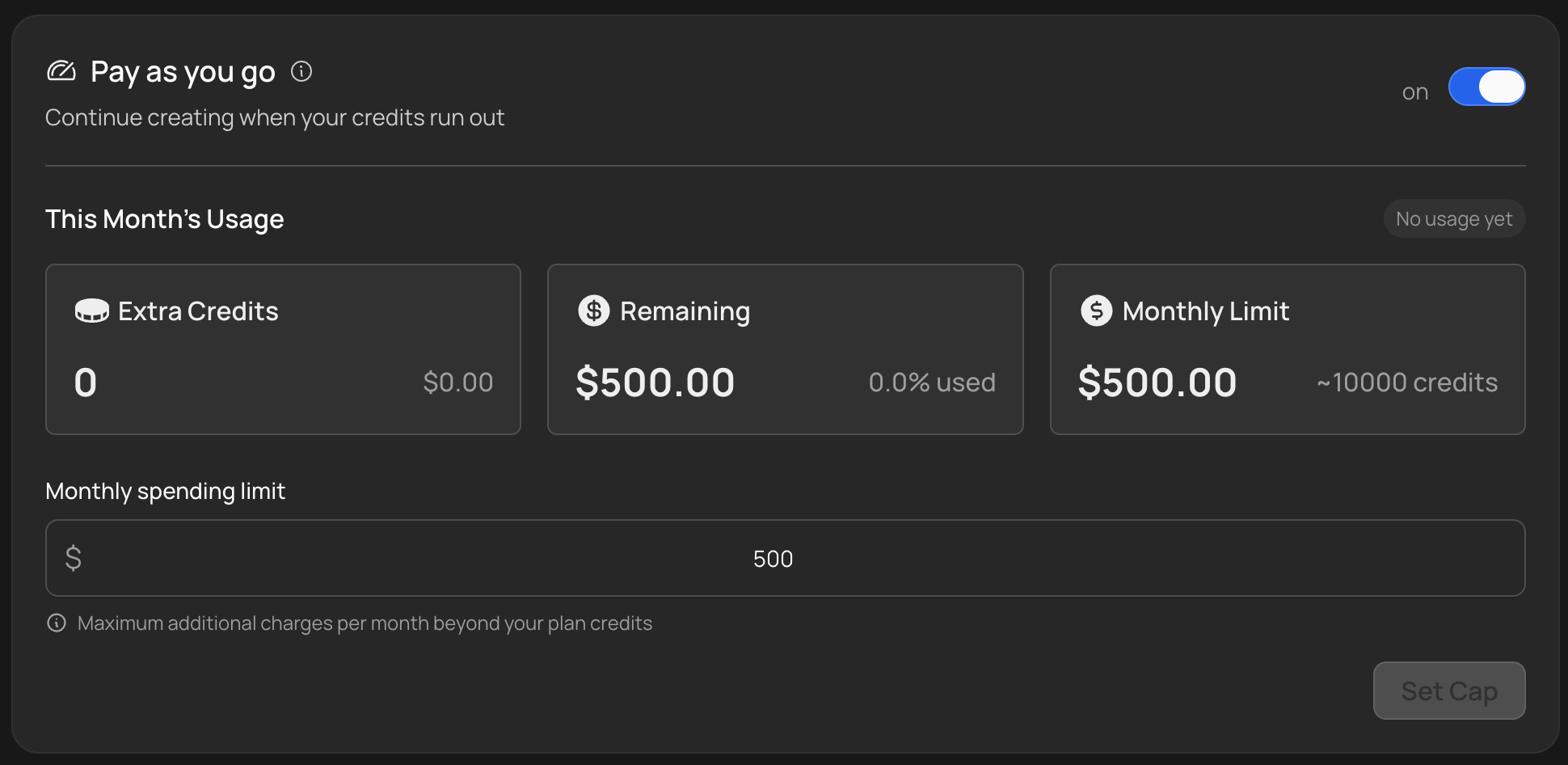
Pay-As-You-Go (PAYG) lets you add credits beyond your plan’s monthly allocation without upgrading to a higher tier. If you run out of credits mid-cycle or need a few extra videos, PAYG fills the gap automatically.
If you would rather pay once, upfront, and keep the credits across renewals, see Top-Up Credits. The two can be used together: a top-up balance is always spent before PAYG charges your card.
How it works
When PAYG is enabled and your plan credits run out, VidRush automatically charges your payment method in $100 increments to add more credits. This continues as needed until you hit your monthly spend cap.
You control the maximum through the monthly spend cap setting. Set it to whatever you are comfortable with. Once you hit the cap, generation pauses until your plan credits renew next cycle.
Enabling and managing PAYG
- Open Settings in the left sidebar, then Billing & Subscription. Your current plan, per-minute price, and credit balance are shown at the top.
- Toggle Pay-As-You-Go on.
- Set your monthly spend cap.
You can turn PAYG off at any time from the same screen. When it is off, generation stops once your plan credits are used up.
To change your subscription plan, turn PAYG off first. The billing system requires PAYG to be disabled before allowing plan changes.
When PAYG makes sense
PAYG is ideal when you are on a lower-tier plan but occasionally need extra capacity: a trending topic you want to jump on, an intense testing phase, or a month where you produce more than usual.
If you consistently exceed your plan’s credits every month, upgrading to the next tier is usually more cost-effective. Higher plans have a lower per-credit cost.
PAYG Credit Costs
| Plan | Price per Credit |
|---|---|
| Studio | $0.033 |
| Scale | $0.035 |
| Pro | $0.040 |
| Creator | $0.050 |
| Starter | $0.060 |
Why you might see multiple charges
Several charges from VidRush in a single month while using PAYG are normal. Stripe uses threshold billing: instead of waiting until the end of the month to charge one large sum, it triggers a charge whenever your usage hits the $100 threshold.