Your First Video
VidRush turns a text prompt into a fully produced YouTube video: script, voiceover, footage, music, and editing in a single generation. This page walks through the whole creation flow, from blank prompt to finished video.
What changed from older versions
If you learned VidRush on an earlier build: the Auto/Manual mode split, the format selector, the duration selector, and the reference video step were all removed. Your prompt and your Brand Profile drive everything now, and a single review screen, the Quote Statement, confirms it all before generation.
The flow
- Select (or create) your Brand Profile
- Select your model and reasoning effort
- Write your prompt, or attach a Custom Script / Custom Voiceover
- Pass the AI Prompt Checker
- Pick a thumbnail (or skip)
- Review the Quote Statement, confirm the credit estimate, approve
- Generate
Step 1: Select your Brand Profile
The Brand Profile carries your defaults: video language, voiceover provider and voice, backgrounds and theme, and your compliance settings (blacklisted sources, footage sourcing tiers). Pick the profile for the channel you are producing for, or create a new one in under a minute. Full guide: Brand Profile.
Step 2: Select your model and reasoning effort
Choose Deep Video v1 Mini (image-based, efficient visuals, great for testing) or Deep Video v1 Pro (video B-roll, the full experience), each with Low, Medium, or Experimental reasoning, selected right next to the prompt field. See Generation Models for costs and the bootstrap strategy. A stronger Deep Video V2 model is coming later at a higher credit cost.
Step 3: Write your prompt
Your prompt is the creative blueprint for the entire video, and in V2 it also carries your production settings.
Requirements: minimum 200 characters, maximum 10,000 characters.
Put these directly in your prompt:
- Format: “make me a documentary” / “make me a top 10 video”.
- Length: “make me a 30-minute video”.
Then cover the Four Pillars:
- Director’s Brief: the core story, conflict, or angle in two to three specific sentences.
- Style Guide: the tone, energy, and stylistic devices you want in the narration.
- Target Audience: who is watching, and which titles they already click.
- Key Facts: dates, statistics, names, details. The more concrete material you provide, the less the AI improvises.
To skip AI writing, click the + button and paste a Custom Script or upload a Custom Voiceover. VidRush analyzes the text or audio and infers the format and length from it. A documentary script gets the documentary treatment; a top-10 script gets the listicle treatment.
The same menu, and the tabs above the prompt field, offer two more ways in. Talking Head uploads a recording of yourself speaking to camera for VidRush to edit, and the prompt then works differently: it becomes context about the recording rather than a brief. AI Avatar puts a presenter on screen without filming, and the prompt works exactly as it does here. One generation uses your own footage or an avatar, never both.
Step 4: The AI Prompt Checker
Every prompt, and every custom script, passes through the AI Prompt Checker before generation. It flags low footage availability, hyper-specific visual requests, and formatting issues that could break the generation. Talking-head projects are checked against looser format rules, because presenter-led formats are the expected input there, and avatar projects add checks of their own. The check takes a moment to run; if no error appears, you are clear to continue. See AI Prompt Checker.
Step 5: Pick a thumbnail
VidRush presents thumbnail options for your video. You can pick one of the generated options, skip the thumbnail step entirely, or paste a custom thumbnail URL to use a specific reference style.
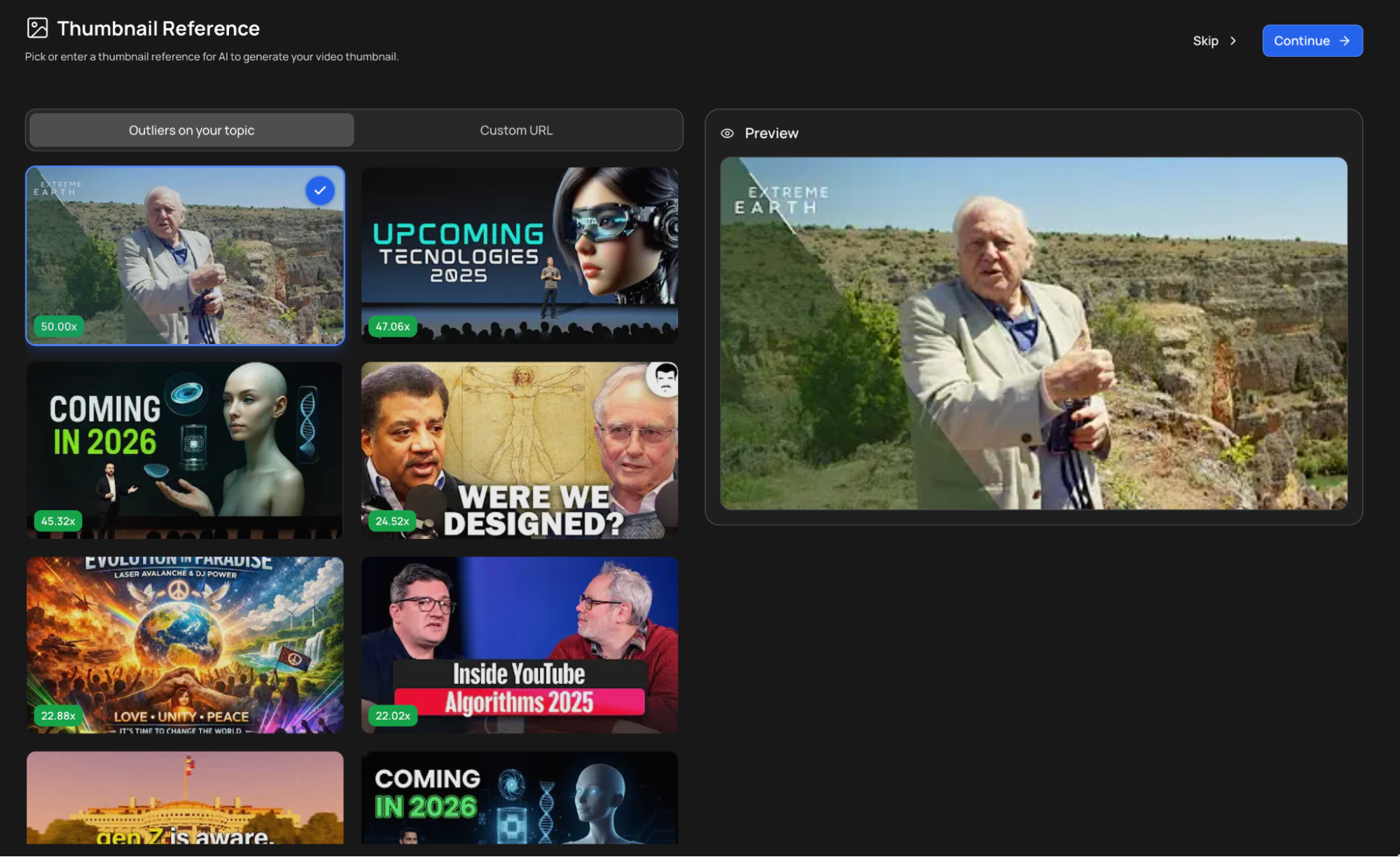
The thumbnail is designed around your video title. If the title is still wrong at this point, that is fine: you can fix it in the next step and the thumbnail will follow it. See Thumbnail Generator.
Step 6: Review the Quote Statement
This is the new confirmation step. Before generation starts, VidRush shows you exactly what it is about to produce:
- Format (“Your script is a documentary about…”) and duration. With a Custom Script you can leave the duration blank; it is inferred from your text.
- Video language, model, and Brand Profile
- Voice: your Brand Profile default, overridable right here
- Title: editable. Fix it here if the AI invented a title that is wrong or off-brand, because the thumbnail is generated around it.
- Attached custom script or voiceover, if any
If anything is off, change it directly in the Quote Statement, then press Approve & Continue. One final screen shows the estimated total credits for the generation (around 1,430 credits for a long documentary, for example). The final figure can be slightly higher or lower. Approve, and you are in the queue.
Step 7: Generate
Your request enters the queue. During high-traffic periods it can take a little while before the progress bar appears. Generation runs in the cloud and typically takes 50 to 60 minutes. Close your browser if you like; the video appears in Projects when done.
What Happens Next
After your video generates, review it in VidRush’s built-in editor: replace footage, adjust timing, add text overlays, and fine-tune every element. See Editor Overview.